
Simple GI
Simple GI
Note
The Maya scene file for this example - risGI.ma - is included with the RMS Tutorials bundle.
Global Illumination in RIS Mode
Global Illumination couldn't be simpler than it is in RIS mode. Essentially, it's almost as if Global Illumination is on by default, provided out-of-the-box in RIS mode.
1. Add an Environment Light
Once you've opened our simple scene. Add an Environment Light, via the button in the RenderMan Shelf,

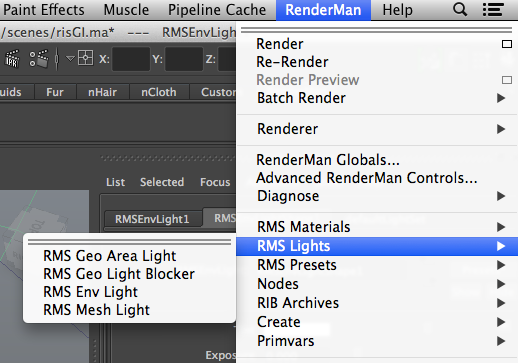
or the RenderMan Menu.
2. Render
That's it. You're done.

Global Illumination
Of course, you're not likely to use the default settings for an Environment Light, as it can be pretty star. You can add an environment texture for Global IBI (Image-Based Illumination).

Image-Based Illumination
Or use rmanDayLight attached to the Procedural カラー parameter to create a plausible sky. Note, also, that the RMS Environment Light gives you control over the Tint, Exposure, カラー Temperature, and both the Specular and Diffuse Contribution for fine-tuning your lighting results.

Procedural DayLight, Using the Afternoon Preset